
Claude Code notifications
Get Claude Code Notifications on Your Phone
Get a Claude Code notification on your phone when it finishes or needs permission: built-in push through Remote Control, or a hook with ntfy, Pushover or Telegram.
On this page
To get Claude Code notifications on your phone, you have two options. If you're on a Pro, Max, Team or Enterprise plan, turn on Remote Control and enable Push when actions required in /config; the Claude mobile app then gets a push when Claude needs a permission or an answer, and you can reply from the phone. On any plan, including API keys, add a Notification hook that sends a push through a service such as ntfy, Pushover or a Telegram bot with curl.
The Remote Control details come from the official Remote Control docs and settings reference, the hook details from the hooks guide, and each push service's commands from its own documentation, all checked on October 3, 2026. The hook commands pass a shell syntax check and were checked against those docs; they weren't run against live accounts. For desktop alerts, see the main guide to Claude Code notifications when done.
Your options compared
| Option | Plans it works with | Answer prompts from the phone | Setup | Where your message goes |
|---|---|---|---|---|
| Remote Control push (built in) | Pro, Max, Team, Enterprise with a claude.ai login | Yes | Claude app, /config toggles | Anthropic |
| ntfy hook | Any, including API keys | No | Install the ntfy app, pick a topic, add a hook | The ntfy server you use (public or your own) |
| Pushover hook | Any | No | Pushover account and app token, add a hook | Pushover |
| Telegram bot hook | Any | No | Create a bot with @BotFather, add a hook | Telegram |
Choose Remote Control if your plan supports it and you want to act on the alert, not just see it. Choose ntfy if you use an API key or a cloud provider, or want something you can self-host. Choose Pushover if you already use it for other alerts. Choose a Telegram bot if Telegram is the app you check most.
Whichever you pick, the timing works in your favor. The permission_prompt and idle_prompt notifications are designed to fire only when you seem to be away, so your phone stays quiet while you're at the keyboard.
Option 1: built-in push with Remote Control
Remote Control connects a Claude Code session running on your machine to the Claude app on iOS or Android, or to claude.ai/code in a browser. Claude keeps running locally; the phone is a second screen and keyboard for the same session. With it active, Claude Code can send push notifications to the phone.
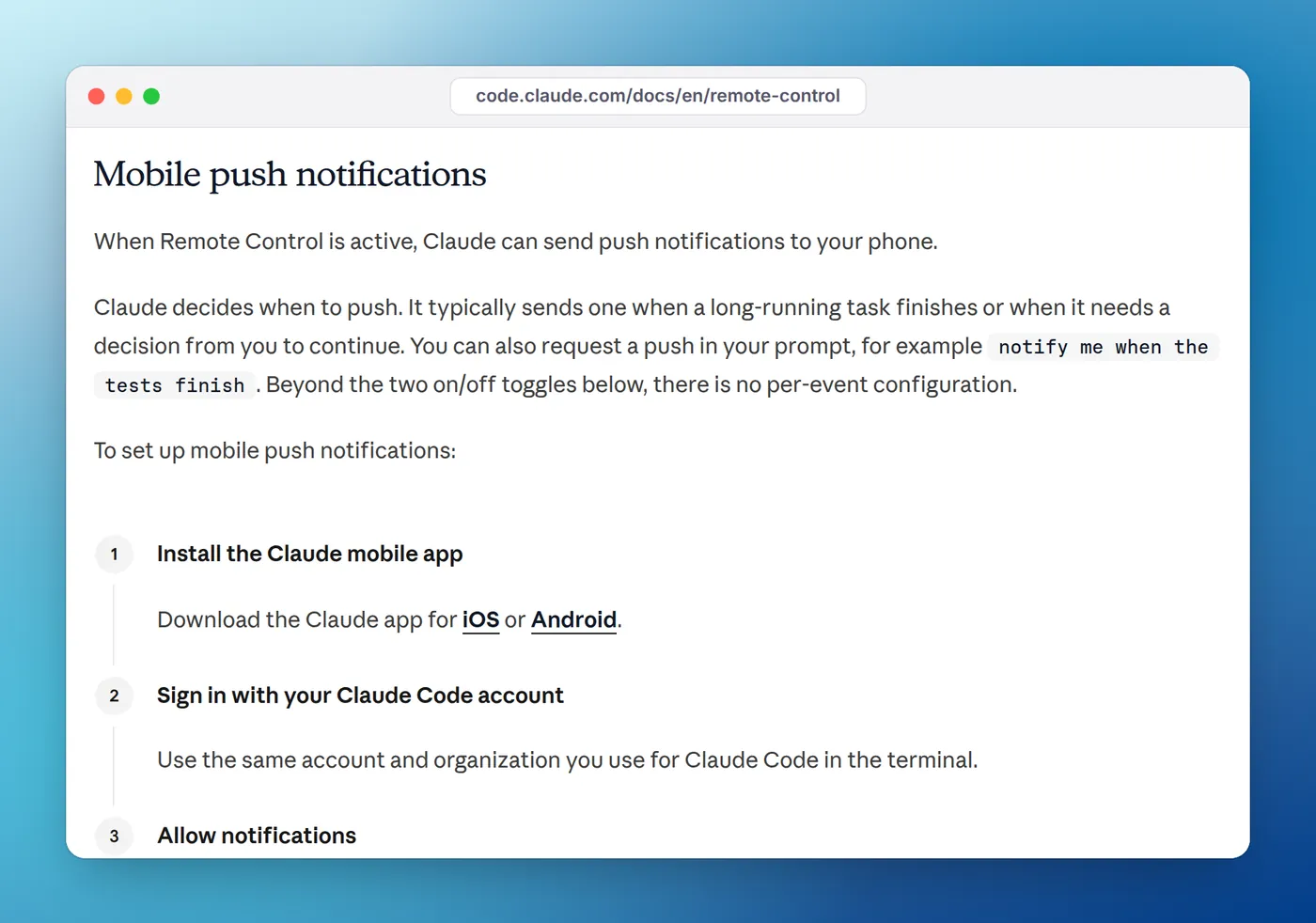
Set it up once:
- Install the Claude app and sign in with the same account and organization you use for Claude Code. If you don't have the app, run
/mobilein Claude Code for a QR code that opens the right app store. - Allow notifications when the phone asks.
- In Claude Code, run
/configand turn on Push when actions required (permission prompts and questions), Push when Claude decides (Claude chooses, typically when a long task finishes), or both. - Start Remote Control with
claude --remote-control,claude remote-control(server mode), or/remote-controlinside a running session.
To make this the default for every interactive session, the same choices can live in your user settings. remoteControlAtStartup connects each new session automatically, and the two push settings appear in the settings reference as inputNeededNotifEnabled ("when Claude is waiting on you") and agentPushNotifEnabled ("when it decides to"):
{
  "remoteControlAtStartup": true,
  "inputNeededNotifEnabled": true,
  "agentPushNotifEnabled": true
}
Things to know before you rely on it, all from the Remote Control docs:
- It needs a claude.ai subscription. API keys aren't supported, and neither are Amazon Bedrock, Google Cloud's Agent Platform, Microsoft Foundry or an
ANTHROPIC_BASE_URLpointing at a proxy. On Team and Enterprise, an Owner has to enable Remote Control first. - There's no per-event configuration beyond the two toggles. Claude decides when "Push when Claude decides" fires, and you can also ask for one in your prompt: "notify me when the tests finish".
- It skips pushes while you're typing in or focused on the terminal. To also skip them whenever you're at the machine, set
CLAUDE_CLIENT_PRESENCE_FILEto a marker file that a screen-lock tool creates on unlock and deletes on lock. - The local process must keep running. Close the terminal and the session goes offline. On a remote server, start Claude Code inside
tmuxorscreenso it survives an SSH disconnect. - If pushes don't arrive, check whether
/configshows "No mobile registered" (open the app to refresh it), iOS Focus modes and notification summaries, and Android battery optimization for the Claude app.
Option 2: push through ntfy with a hook
ntfy is an open-source push service: you publish a message to a topic with a plain HTTP request, and the ntfy app on your phone shows it. The public server at ntfy.sh needs no sign-up, which is also why the topic name matters: ntfy's docs say the topic "is essentially a password, so pick something that's not easily guessable."
- Install ntfy on your phone from Google Play, F-Droid or the App Store, as listed in its phone app docs, and subscribe to a long random topic name.
- Send a test from your computer:
curl -d "test from Claude Code" ntfy.sh/your-topic-name. The publishing docs show the same command. - Save the script below and point a hook at it.
#!/bin/bash
# Push to ntfy when Claude Code needs you. Reads the hook's JSON on stdin.
topic="${NTFY_TOPIC:?set NTFY_TOPIC to your private topic name}"
input=$(cat)
type=$(jq -r '.notification_type // "done"' <<<"$input")
project=$(basename "$PWD")

case "$type" in
  permission_prompt) title="Claude needs permission in $project"; priority="high" ;;
  idle_prompt) title="Claude is waiting in $project"; priority="default" ;;
  *) title="Claude Code: $project"; priority="default" ;;
esac

curl -s -m 10 \
  -H "Title: $title" \
  -H "Priority: $priority" \
  -d "$(jq -r '.message // "Finished"' <<<"$input")" \
  "https://ntfy.sh/$topic" >/dev/null
Make it executable with chmod +x ~/.claude/hooks/push.sh, install jq if jq --version fails, and add export NTFY_TOPIC=your-topic-name to your shell profile. Hook commands inherit Claude Code's environment, as the hooks reference notes, so the variable is there as long as you start claude from a shell that has it. Then register the hook:
{
  "hooks": {
    "Notification": [
      {
        "matcher": "permission_prompt|idle_prompt",
        "hooks": [
          { "type": "command", "command": "\"$HOME/.claude/hooks/push.sh\"", "async": true, "timeout": 15 }
        ]
      }
    ]
  }
}
"async": true keeps a slow network from holding up Claude Code, and curl -m 10 gives up after ten seconds. The message field in the hook's input is short text such as "Permission required: Bash tool", per the Notification input reference, so the push tells you what's being asked without sending your code anywhere.
If messages arrive late on Android, turn on instant delivery for the subscription; ntfy's docs warn that without it, messages "may arrive with a significant delay". For private content, ntfy supports access tokens (-H "Authorization: Bearer tk_...") on protected topics, or you can run your own ntfy server and change the URL.
Why not push on every Stop?
Stop fires after every response, including a two-second answer to a quick question while you're sitting right there. On a phone, that gets annoying fast. idle_prompt is the better "finished" signal for a phone: it fires about 60 seconds after Claude finished, and only if you haven't typed since, so it effectively means "done, and you're not looking". If you do want an immediate push for every finished turn, add a Stop group pointing at the same script; it falls through to the default title.
Option 3: Pushover
Pushover is a paid push service with apps for iOS, Android and desktop; its pricing page describes a one-time purchase per platform after a 30-day free trial. Create an application in your Pushover dashboard to get an API token, and copy your user key. Its API takes a POST to https://api.pushover.net/1/messages.json with token, user and message, plus an optional title:
{
  "hooks": {
    "Notification": [
      {
        "matcher": "permission_prompt|idle_prompt",
        "hooks": [
          {
            "type": "command",
            "command": "curl -s -m 10 --form-string \"token=$PUSHOVER_TOKEN\" --form-string \"user=$PUSHOVER_USER\" --form-string \"title=Claude Code\" --form-string \"message=Claude needs you in $(basename \"$PWD\")\" https://api.pushover.net/1/messages.json >/dev/null",
            "async": true
          }
        ]
      }
    ]
  }
}
Export PUSHOVER_TOKEN and PUSHOVER_USER in your shell profile rather than writing them into the settings file, especially if you ever share or commit settings.
Option 4: a Telegram bot
Telegram's Bot API sends a message with one HTTPS request to https://api.telegram.org/bot<token>/sendMessage, given a chat_id and text.
- Message @BotFather in Telegram, create a bot, and copy the token it gives you.
- Send any message to your new bot, then open
https://api.telegram.org/bot<token>/getUpdatesin a browser. Your chat ID is thechat.idvalue in the response. - Export both in your shell profile as
TELEGRAM_BOT_TOKENandTELEGRAM_CHAT_ID, and add the hook:
{
  "hooks": {
    "Notification": [
      {
        "matcher": "permission_prompt|idle_prompt",
        "hooks": [
          {
            "type": "command",
            "command": "curl -s -m 10 \"https://api.telegram.org/bot$TELEGRAM_BOT_TOKEN/sendMessage\" -d \"chat_id=$TELEGRAM_CHAT_ID\" --data-urlencode \"text=Claude needs you in $(basename \"$PWD\")\" >/dev/null",
            "async": true
          }
        ]
      }
    ]
  }
}
Don't confuse this with Claude Code's Channels, which also mention Telegram. Channels push events from a chat app into a running session; the hook above sends alerts out to you.
Phone pushes and remote machines
Phone pushes are especially useful when Claude Code runs on a server you reached over SSH. Desktop commands like osascript and notify-send would fire on the server, where nobody sees them, but curl to a push service works the same from anywhere with internet access. Put the hook in the server's ~/.claude/settings.json, and run the session inside tmux so it keeps going after you disconnect; running Claude Code in the background covers that side.
Test the setup the same way as a desktop alert: press Shift+Tab until manual mode is on, ask for something that needs permission, then leave the keyboard alone (keep the computer awake, since a sleeping machine pauses the session). The push should arrive after about six seconds. If it doesn't, run the curl line by hand first, then work through our fixes for a notification hook that isn't working.
At the desk, a phone is overkill
A phone buzz is the right signal when you're away from the computer. When you're at it, working in another app, a push to your pocket is more interruption than you need. On a Mac or a Windows PC, Eddie covers that case from the notch: each session shows as working, needs you or done, in the MacBook notch or at the edge of your Windows desktop, and it taps you when one needs permission. It doesn't send anything to your phone, so the two work well side by side. Our waiting-for-input guide explains the desktop events in detail.
FAQ
Can I approve Claude Code permission prompts from my phone?
Yes, with Remote Control. Start it with claude --remote-control or /remote-control, open the session in the Claude mobile app, and answer prompts there. Hook-based pushes through ntfy, Pushover or Telegram only tell you something is waiting; you still answer at the computer.
Do Claude Code's mobile push notifications work with an API key?
No. Remote Control, which carries the built-in push, needs a Pro, Max, Team or Enterprise plan signed in through claude.ai, and doesn't work with API keys, Amazon Bedrock, Google Cloud's Agent Platform or a custom ANTHROPIC_BASE_URL. A Notification hook that calls a push service works with any setup.
Why don't I get a push while I'm at my computer?
By design. Claude Code skips mobile pushes while you're typing in or focused on the connected terminal. Hook-based pushes on permission_prompt and idle_prompt also wait until you seem to be away. If you want pushes to stop whenever you're at the machine at all, the Remote Control docs describe a presence file you can set with CLAUDE_CLIENT_PRESENCE_FILE.
Why are my ntfy notifications late on Android?
Without instant delivery, ntfy's docs say Android messages can arrive minutes or even hours late. Turn on instant delivery for the subscription in the app, or use the F-Droid build, which has it on by default.
Is it safe to send Claude Code notifications through ntfy?
On the public ntfy.sh server, the topic name works like a password: anyone who knows it can read and publish. Pick a long random topic, keep the message to the project name and notification type, and use an access token or your own ntfy server if the content matters.