
Running agents day to day
Claude Code Stuck? What Each State Means and What to Do
Claude Code stuck on thinking, compacting or waiting for API response? What each state means, how to tell waiting from frozen, and how to recover safely.
On this page
When Claude Code looks stuck, it's usually waiting on something: a permission prompt or a question you haven't seen, the API (it retries on its own), a long-running command, a context compaction, or a usage limit reset. The line under the spinner tells you which. Press Esc to interrupt without losing the work so far, and if the terminal stops responding entirely, close it and run claude --resume in the same folder to pick the conversation back up.
The messages and fixes below come from the official troubleshooting guide and error reference, checked on October 3, 2026. Exact wording changes between versions, so match on the gist rather than every word.
What each state means
| What you see | What it means | What to do |
|---|---|---|
| Spinner with a changing word like "Baking" and a timer | A turn is running; the words are decorative | Wait, or Ctrl+O to see what it's doing |
| "Do you want to proceed?" with options | A permission prompt is waiting for you | Answer it |
| A multiple-choice question | Claude asked you something with AskUserQuestion | Answer it; it waits indefinitely by default |
Waiting for API response · will retry in … | No data for 20 seconds | Let it retry; check your network if it repeats |
Retrying in Ns · attempt x/y | An API error, being retried with backoff | Wait; check status.claude.com |
Compacting, or Autocompact is thrashing | The context window is full | Wait, or recover as below |
Context limit reached · /compact or /clear to continue | The conversation no longer fits the context window | Run /compact or /clear |
Usage limit reached · limit resets 3:45pm | Your plan's usage limit | Wait for the reset, or Esc to cancel the wait |
| A Bash command with no output for minutes | A slow or never-ending command | Ctrl+B to background it, or Esc |
| Your own hook's status message | A hook hasn't finished | Wait for its timeout, or fix the hook |
"Needs input" in claude agents | A background session wants an answer | Peek with Space and reply |
The rest of this page goes through each one.
Is it working or waiting?
Start by finding out whether anything is happening. Ctrl+O opens the transcript viewer, which shows each tool call and its output as it runs, with timestamps. If tool calls keep appearing, Claude is working. /tasks lists background shell commands and subagents, which is where long-running work often hides.
The spinner verb itself means nothing about progress. The settings reference describes it as a rotating word, such as "Accomplishing", "Architecting" or "Baking", shown while a turn runs, and spinnerVerbs lets you replace them with your own. A long task can sit on the spinner for minutes while Claude reasons, especially at a high effort level.
If you want to stop or redirect, press Esc. It stops the current response or tool call, and Claude keeps what it has done so far, so you can type a correction and carry on. Anything you've queued is sent next.
Stuck on "Waiting for API response"
Claude Code watches the response stream. If no data arrives for 20 seconds while a request is pending, the spinner shows Waiting for API response · will retry in … · check your network. The request hasn't failed: the countdown runs to the point where Claude Code aborts the stalled connection and tries again. The banner clears by itself once data resumes.
When a request does fail, Claude Code retries transient errors up to 10 times with exponential backoff, showing Retrying in Ns · attempt x/y. You only see an error once those retries are used up. What the common ones mean, per the error reference:
Repeated 529 Overloaded errors: the API is at capacity for everyone. It doesn't count against your quota. Wait a few minutes, or run/modelto switch models, since capacity is tracked per model.API Error: 500and other 5xx errors: a server-side problem, not your prompt. Check status.claude.com, wait a minute, and typetry again.Request timed outorNo response from API: nothing came back in time. Retry; if it keeps happening, look at your network, VPN or proxy. A proxy that holds responses until they finish may need a higherAPI_TIMEOUT_MS.
If the waiting banner comes back on every attempt, the docs say to treat it as a network issue.
Stuck on compacting
When the conversation fills the context window, Claude Code compacts it: a model call summarizes the history so work can continue. On a long session that takes a moment, and the turn resumes afterwards.
The real problem is Autocompact is thrashing: the context refilled to the limit.... That means compaction worked but a file or tool output filled the window again straight away, several times in a row, so Claude Code stopped retrying. The documented fixes:
- Ask Claude to read the oversized file in smaller chunks, such as a line range or one function.
- Run
/compactwith a focus that drops the big output, for example/compact keep only the plan and the diff. - Move the large-file work to a subagent, which has its own context window.
- Run
/clearif you don't need the earlier conversation.
If you see Context limit reached · /compact or /clear to continue, Claude Code needs you to choose. /context shows what's using the space.
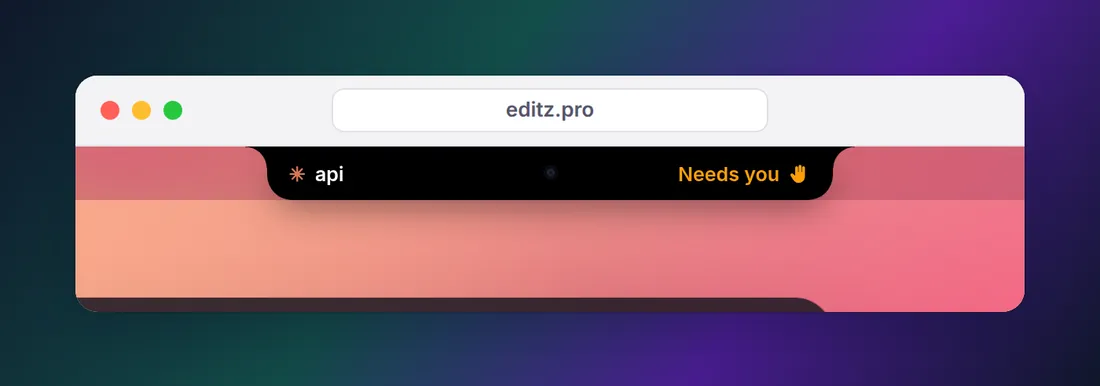
Waiting on a prompt you can't see
This is the most common "stuck" of all: Claude asked for permission or asked a question, and the prompt is somewhere you aren't looking.
- Another tab or window. The session is waiting in a terminal you switched away from.
- A background subagent. Its permission prompts appear in your main session, naming the subagent that asked.
- A background session. In
claude agents, its row shows "Needs input". Select it and press Space to reply without attaching. - An agent team teammate. Teammates' permission prompts appear in the lead session, so approve them there.
Ordinary permission prompts never time out on their own, and questions wait until you answer unless you set askUserQuestionTimeout. Even auto mode, which skips most prompts, still asks for ask rules and for rm aimed at a critical path. Permission modes explained lists what each mode asks about.
The fix is to be told. Claude Code fires a Notification hook with permission_prompt when a permission prompt has waited about six seconds, and idle_prompt about 60 seconds after Claude finishes. A macOS alert for both:
{
  "hooks": {
    "Notification": [
      {
        "matcher": "permission_prompt|idle_prompt",
        "hooks": [
          {
            "type": "command",
            "command": "osascript -e 'display notification \"Claude Code is waiting for you\" with title \"Claude Code\" sound name \"Glass\"'"
          }
        ]
      }
    ]
  }
}
That command was checked against the docs, not run here. For Linux, Windows and the instant PermissionRequest alternative, see Claude Code notification when waiting for input.
Waiting for a usage limit to reset
On a claude.ai subscription, hitting your session limit no longer just stops the session. Claude Code waits in the open session and shows two lines:
Usage limit reached · limit resets 3:45pm
Continuing automatically at 3:45pm · esc to cancel
Keep the session open and it picks the task up shortly after the reset. Press Esc on an empty prompt to cancel the wait. If your computer slept through the reset for more than about 30 minutes, it asks you to press Enter instead. The usage limit docs cover the exceptions, including background sessions and -p runs, where this wait isn't offered. Run /usage to see your limits and reset times.
A command that never finishes
Some commands don't end on their own: a dev server, a test runner in watch mode, or a tool waiting for a keypress. Claude Code runs each shell command with a timeout (two minutes by default). When a command reaches it, Claude Code moves the command to the background instead of killing it and tells Claude, so the turn continues.
You don't have to wait for that. Press Ctrl+B to send the running command to the background now (twice inside tmux), or Esc to interrupt. /tasks shows what's still running and lets you stop it. If a command keeps hanging, ask Claude to use its run-once or non-interactive form instead, such as a test runner without watch mode or a --yes flag that skips a confirmation.
Commands Claude started in the background keep running until Claude Code exits, which is why a dev server can outlive the moment you needed it. Run Claude Code in the background explains how background tasks work and how to stop them.
A hook that hangs
Hooks run synchronously by default, and Claude waits for them. A command hook can take up to its timeout, 600 seconds by default (30 seconds on UserPromptSubmit), so a slow script feels like a frozen session. To check:
- Start Claude Code with
claude --debug-file /tmp/claude.logand read which hooks matched, their exit codes and their output. - Start with
claude --safe-modeto load no hooks, plugins, MCP servers or other customizations. If the problem disappears, one of them is the cause. - Run one session with
claude --settings '{"disableAllHooks": true}'to rule out hooks alone.
Give slow hooks a timeout or "async": true. How to debug Claude Code hooks goes further.
When it's truly frozen
If Claude Code ignores keys and nothing in the transcript is moving:
- Press Ctrl+C to cancel the current operation.
- If the screen looks garbled or half blank rather than frozen, press Ctrl+L to redraw it.
- If nothing responds, close the terminal. Then run
claude --resumein the same directory, orclaude --continuefor the most recent conversation. The troubleshooting guide is explicit that restarting doesn't lose your conversation. - If it keeps happening, run
/doctor, which checks your installation, settings and context usage and offers fixes. Ifclaudewon't start at all, runclaude doctorfrom your shell.
Very long sessions can also slow down. Claude Code shows a critical memory warning when a session's heap passes 2.5 GB; restarting and running claude --continue moves the conversation into a fresh process.
Stuck before it starts
If Claude Code hangs on login, loops back to sign-in, or never gets past starting a session, the problem is installation or authentication rather than a running task. The official install and login troubleshooting page covers PATH problems, OAuth loops and network errors, and claude doctor checks most of them for you. In VS Code, the extension has its own fixes in the VS Code guide.
For more than one session at a time, running multiple Claude Code sessions in parallel covers how to keep track of which one is waiting on you.
FAQ
How do I stop Claude Code when it's stuck?
Press Esc to interrupt the current response or tool call; Claude keeps the work done so far and waits for your next message. Ctrl+C also interrupts. If nothing responds, close the terminal and run claude --resume in the same directory: restarting doesn't lose your conversation.
Why is Claude Code stuck on thinking?
Usually it isn't stuck: the spinner's rotating verb is decorative and shows a turn is still running, which can take minutes on a large task or at high effort. Press Ctrl+O to open the transcript viewer and see which tools it's running. If the spinner shows Waiting for API response, no data has arrived for 20 seconds and Claude Code will abort and retry the request.
What does Claude Code "waiting for API response" mean?
No data has arrived on the response stream for 20 seconds. The request hasn't failed yet; Claude Code shows a countdown, then aborts the stalled connection and retries. If it shows up on every attempt, check your network or proxy, and check status.claude.com for incidents.
Why is Claude Code stuck on compacting the conversation?
Compaction summarizes a long conversation to free space, which takes a model call of its own. If you see Autocompact is thrashing, a large file or tool output keeps refilling the context right after each summary. Read big files in smaller pieces, run /compact with a focus, move the heavy work to a subagent, or /clear if you don't need the history.
Claude Code says it's waiting for input, but I see nothing. Why?
The prompt is probably somewhere else: another terminal tab, a background subagent's permission request in your main session, a background session marked Needs input in claude agents, or an agent team teammate whose prompts appear in the lead session. A Notification hook on permission_prompt alerts you when one waits.
How do I get Claude Code to continue after a usage limit?
On a claude.ai subscription, Claude Code waits in the open session and continues on its own shortly after the limit resets, showing Continuing automatically at with the time. Keep the session open, or press Esc to cancel. Run /usage to see your limits and when they reset.