
Usage, limits and cost
12 Ways to Cut Claude Code Token Usage
Twelve Claude Code tips to reduce token usage: clearing context, picking models and effort, trimming CLAUDE.md and MCP, filtering output and keeping the cache warm.
On this page
- Why Claude Code uses so many tokens
- 1. Run /clear between unrelated tasks
- 2. Use Sonnet for routine work
- 3. Lower the effort level for simple tasks
- 4. Keep CLAUDE.md short and move workflows into skills
- 5. Point at files instead of pasting them
- 6. Trim MCP servers and prefer CLI tools
- 7. Filter test output with a hook
- 8. Send noisy work to subagents
- 9. Plan first, and stop early
- 10. Mind the cache clock
- 11. Watch what runs while you're idle
- 12. Measure before and after
- FAQ
The Claude Code tips that reduce token usage the most are: run /clear between unrelated tasks, use Sonnet instead of the default Opus for routine work, keep CLAUDE.md short, and stop large tool output from entering the conversation. All of them work for the same reason: Claude Code resends your whole conversation with every request, so anything that keeps the context small saves tokens on every message after it.
The twelve tips below are drawn from Anthropic's Claude Code cost docs, its Claude Code usage guide and the model configuration docs, checked on October 3, 2026. They help on every plan: on an API key they cut the bill, and on Pro or Max they stretch your 5-hour limit.
Why Claude Code uses so many tokens
Each turn sends three things: the conversation so far, project context such as CLAUDE.md and the files Claude has read, and your new prompt. The first grows fastest. When Claude uses tools, every batch of tool results is another request carrying all of it again. Prompt caching makes the repeated part cheap (cache reads cost a tenth of the input price on Sonnet 5.5 and a twentieth on Opus 5.5), but cheap times hundreds of requests is still most of your usage.
So the levers are: keep the context small, pay less per token, generate less, and avoid paying to rebuild the cache.
| Tip | What it cuts | Effort |
|---|---|---|
| 1. Clear between tasks | Resent history | None |
| 2. Sonnet for routine work | Price per token | One command |
| 3. Lower effort on simple tasks | Thinking (output) tokens | One command |
4. Short CLAUDE.md, skills for the rest | Permanent context | Some editing |
| 5. Point at files, don't paste | Context from pastes | A habit |
| 6. Trim MCP servers | Tool listings | One command |
| 7. Filter test output with a hook | Tool output | A config file |
| 8. Noisy work in subagents | Tool output in the main chat | A config file |
| 9. Plan first, stop early | Wasted turns | A habit |
| 10. Mind the cache clock | Cache rebuilds | A habit |
| 11. Watch idle work | Background turns | Check settings |
| 12. Measure first | Guesswork | One command |
1. Run /clear between unrelated tasks
This is the single biggest saving, and Anthropic's usage guide calls it "the single most effective lever for both quality and cost." When you finish one task and start another, the old conversation adds nothing but cost. /clear starts fresh; your CLAUDE.md and project files stay available.
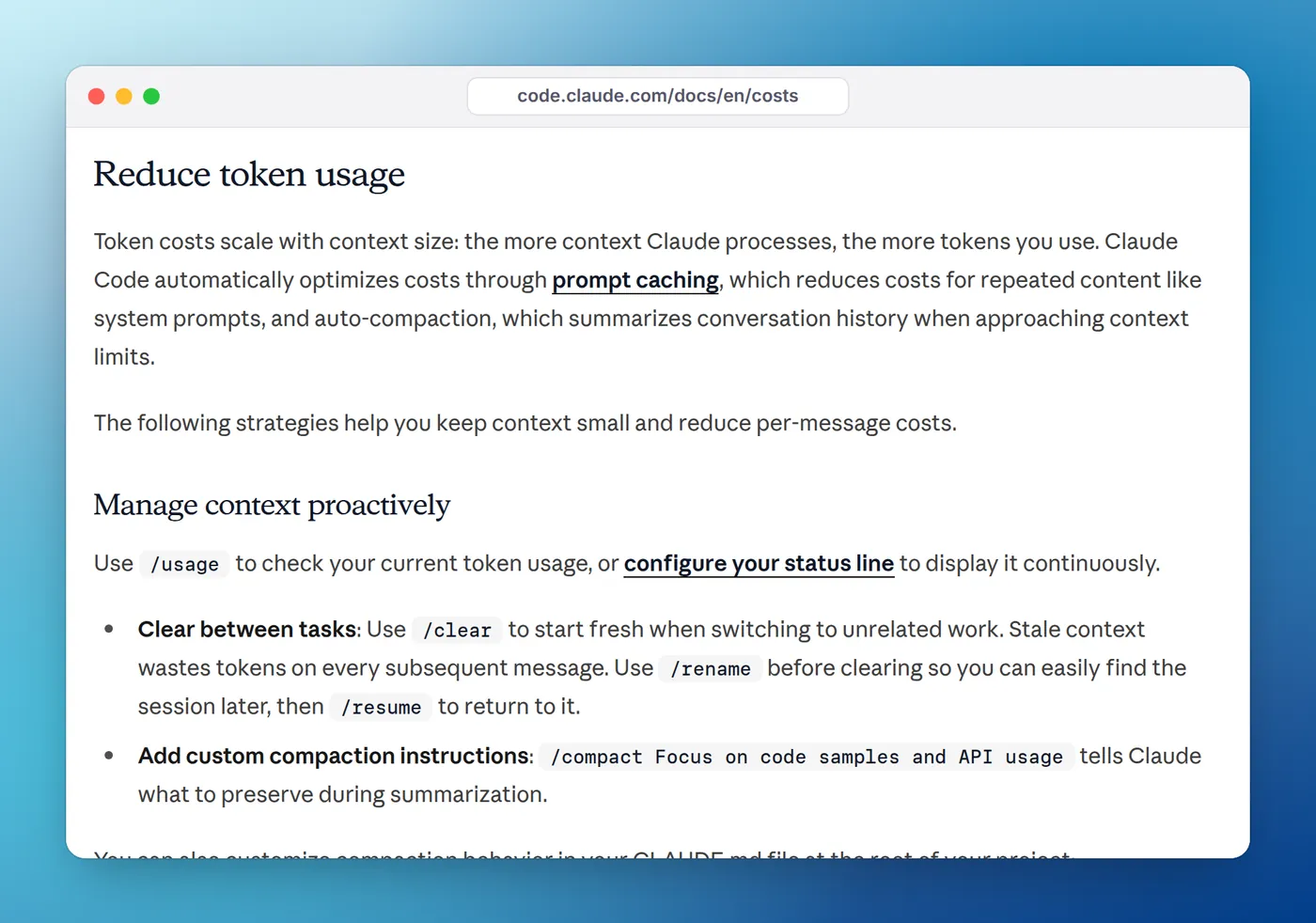
A simple test from the same guide: if your next prompt would make sense in a brand-new terminal, clear first. Run /rename before clearing so you can find the old session again with /resume. Clearing can't be undone, so if you might need something from the history, use /compact instead.
2. Use Sonnet for routine work
Opus 5.5 is Claude Code's default model on Pro, Max, Team, Enterprise and the API. Sonnet 5.5 costs half as much per token ($2 versus $4 per million input, $10 versus $20 output) and handles most coding work well. Switch for the session with /model sonnet, or make it the default:
{
  "model": "sonnet"
}
A middle ground is opusplan, which uses Opus in plan mode and switches to Sonnet to execute. Set it with /model opusplan or "model": "opusplan". For quick mechanical work (renames, boilerplate, explaining a regex), Haiku is cheaper still.
3. Lower the effort level for simple tasks
Thinking tokens are billed as output tokens, and the costs docs say the default budget "can be tens of thousands of tokens per request depending on the model." On current models you control it with the effort level: low, medium, high, xhigh or max. Opus 5.5 and Sonnet 5.5 start at medium.
For short, scoped tasks, run /effort low. Press s in the effort slider to apply it to this session only, or Enter to save it as the default for that model. You can't turn thinking off on Opus 5.5, Sonnet 5.5 or the Fable models, but effort still scales how much they think.
4. Keep CLAUDE.md short and move workflows into skills
CLAUDE.md is loaded at the start of every session and stays in the context every request carries. The docs suggest keeping it under 200 lines. Detailed instructions for specific jobs, such as PR reviews or database migrations, belong in skills, which load only when invoked.
The usage guide's rule for what goes in: only add a note the second time you've had to correct Claude on the same thing, and every few weeks delete anything that's no longer true. Stale notes cost tokens and mislead Claude.
5. Point at files instead of pasting them
Anything you paste stays in context, in full, for the rest of the session. Naming a file lets Claude read the part it needs. Write "look at the validateToken function in src/auth.ts" rather than pasting the file.
The usage guide adds a subtle point: the @ prefix injects the entire file into context, so use a bare path when you're trying to save tokens. For logs and stack traces, paste only the 20 or 30 relevant lines. For anything big, save it to disk and give the path.
Specific prompts help for the same reason. "Improve this codebase" makes Claude scan widely; "add input validation to the login function in auth.ts" doesn't.
6. Trim MCP servers and prefer CLI tools
MCP tool definitions are deferred by default, so only tool names and server instructions sit in context until Claude uses a tool. Servers you don't use still add to that. Run /mcp and disable the ones you don't need for this project, and run /context to see what's taking space.
Where a CLI exists, such as gh, aws or gcloud, the docs note it's more context-efficient than an MCP server because it adds no per-tool listing. For typed languages, code intelligence plugins replace grep-and-read exploration with "go to definition," which means fewer files read.
7. Filter test output with a hook
A failing test suite can dump thousands of lines into the conversation, and every line gets resent with each later request. A PreToolUse hook can rewrite test commands so only failures come back. This is the example from the costs docs:
{
  "hooks": {
    "PreToolUse": [
      {
        "matcher": "Bash",
        "hooks": [
          {
            "type": "command",
            "command": "~/.claude/hooks/filter-test-output.sh"
          }
        ]
      }
    ]
  }
}
Save the script, then run chmod +x ~/.claude/hooks/filter-test-output.sh. It needs jq:
#!/bin/bash
input=$(cat)
cmd=$(echo "$input" | jq -r '.tool_input.command')

# If running tests, filter to show only failures
if [[ "$cmd" =~ ^(npm test|pytest|go test) ]]; then
  filtered_cmd="$cmd 2>&1 | grep -A 5 -E '(FAIL|ERROR|error:)' | head -100"
  echo "$input" | jq --arg filtered "$filtered_cmd" \
    '{hookSpecificOutput: {hookEventName: "PreToolUse", permissionDecision: "allow", updatedInput: (.tool_input + {command: $filtered})}}'
else
  echo "{}"
fi
Adjust the regex for your test runner. Note that the hook also auto-approves matching test commands (permissionDecision: "allow"), so only match commands you're happy to run without a prompt. Check it loaded with /hooks.
8. Send noisy work to subagents
Running tests, fetching docs and searching logs produce lots of output you don't need to keep. A subagent does that work in its own context and returns only a summary. Its requests still count, so give simple subagents a cheaper model:
---
name: test-runner
description: Runs the test suite and reports only the failing tests with their error messages
tools: Bash, Read, Grep
model: haiku
---

Run the project's tests. Report each failing test with its file, name and the
first lines of the error. Do not paste passing output.
Agent teams are the extreme version: each teammate is a separate Claude instance with its own context, and the docs say teams use about 7x the tokens of a standard session when teammates run in plan mode. Keep teams small and shut teammates down when they're done.
9. Plan first, and stop early
A plan costs a few hundred tokens; a wrong 400-line diff that you revert and regenerate costs thousands, twice. For anything touching more than two or three files, press Shift+Tab to enter plan mode and correct the plan before Claude edits.
If Claude heads the wrong way, press Esc immediately rather than letting it finish. /rewind (or Esc twice) restores the conversation and code to a checkpoint. Giving Claude a way to check its own work, such as a test to run or the expected output, also cuts the back-and-forth.
10. Mind the cache clock
Your first message after the prompt cache expires reprocesses the whole conversation. On a subscription within its limits, the main conversation's cache lasts an hour; on an API key, usage credits or a cloud provider, it lasts five minutes by default.
- Coming back to a big session after a long break? On Pro and Max, Claude Code offers to resume from a summary so later requests don't carry the full history. Take it, or
/clearif you're starting something new. - Compacting a cold session is the most expensive time to compact, because the summary request reads the full history uncached.
- On an API key with long pauses, you can request the one-hour cache with
"promptCacheTtl": "1h". One-hour writes cost 2x the input price instead of 1.25x, so it only pays off if you often idle past five minutes. - Switching models mid-session means the new model re-reads everything with no cache hits.
11. Watch what runs while you're idle
Some features start turns on their own, and each sends your full context. The costs docs list them:
- Scheduled tasks and
/loopfire on their interval even while the session sits idle. - Messages from your other sessions are delivered as new turns; set
crossSessionInboundtoholdto queue them instead. - Goal check-ins can start up to three idle turns per goal;
CLAUDE_CODE_GOAL_CHECKIN_MINUTES=0turns them off. - Prompt suggestions send a short, mostly cached request after each response; you can turn them off.
12. Measure before and after
Guessing wastes effort. On Pro, Max, Team and Enterprise, /usage shows what counted against your limits over the last day or week: shares for skills, subagents, plugins and each MCP server, plus flags for behaviors such as long context or cache misses once one passes 10% of recent usage. /context shows what's filling the current window. Our guide to checking Claude Code token usage covers every option, and a status line keeps context percentage and session cost in view while you work.
If you run several sessions on a Mac, Eddie, our notch app, shows tokens and API-equivalent cost for each session, project and day, read from Claude Code's local logs. It's an easy way to spot the one long-running session that's eating your allowance, with the usual caveat: it shows list-price equivalents, not your plan's remaining percentage. For what those dollar figures mean on a subscription, see API value versus what you pay.
FAQ
Why does Claude Code use so many tokens?
Because every request resends the whole conversation: your messages, every file Claude read and every command's output. With tool use, one prompt can trigger many requests. Prompt caching makes the resent part cheap, but it still counts, so long sessions use far more than their last message suggests.
Does /compact save tokens?
It shrinks later requests, but the compaction itself is a large request because it reads the whole conversation it summarizes, and it costs the most when the cache has gone cold. If you're switching to unrelated work, /clear is better: it costs nothing.
Does CLAUDE.md use tokens on every message?
Yes. It's loaded at the start of the session and sits in the context that every request carries. Caching makes repeat reads cheap, but it still takes context space, which is why Anthropic suggests keeping it under about 200 lines and moving specialized instructions into skills.
Which model uses the fewest tokens in Claude Code?
Token counts depend more on the task than the model, but cost per token differs a lot: Haiku 4.5 is the cheapest, then Sonnet 5.5, then Opus 5.5 at twice Sonnet's price. Opus 5.5 is the default on every plan, so switching routine work to Sonnet is often the biggest single saving.
Do subagents save tokens?
They keep noisy work such as test runs and log searches out of your main conversation, so later requests stay smaller. Their own requests still count against your usage, so give simple subagents a cheaper model like Haiku.