 Eddie
 NewLive WallpaperSnow that settles on your windows · $7→
Know the moment
Claude needs you
Hi, I'm Eddie. I live in your notch and tap you the second Claude Code or Codex is waiting on you. No more babysitting terminals.
Claude's busy. Go do your thing!
Claude is asking you something. Answer it!
Go on, it's live. Use the terminal, the notch or the phone, and the other two follow. (Sample data, I promise.)
Answer in the terminal or the notch with any plan. The phone app is part of Eddie monthly.
Your agent stops. Nobody tells you. Except me.
Claude waits for you in a tab you're not looking at. That's the whole problem.
Without Eddie
- Claude asks for permission in a tab you're not looking at.
- It sits there, doing nothing.
- You find out twenty minutes later.
With me around
- The notch lights up, I drop down, and there's a sound.
- You see which session needs you, and why.
- You answer it and get back to what you were doing.
Works with Claude Code, Codex, Gemini CLI and the Claude desktop app. Cursor shows working and done.
I also run the rest of your notch.
Hover the notch and it opens. Everything below is in the app today.
And plenty more, done right.
Hi, I'm your new roommate.
Most notch apps are just utilities. I drop down when an agent needs you, dance when you make a sale, and nag you to stretch. Go on, poke me.
New Live Wallpaper: Linux now, Mac this week
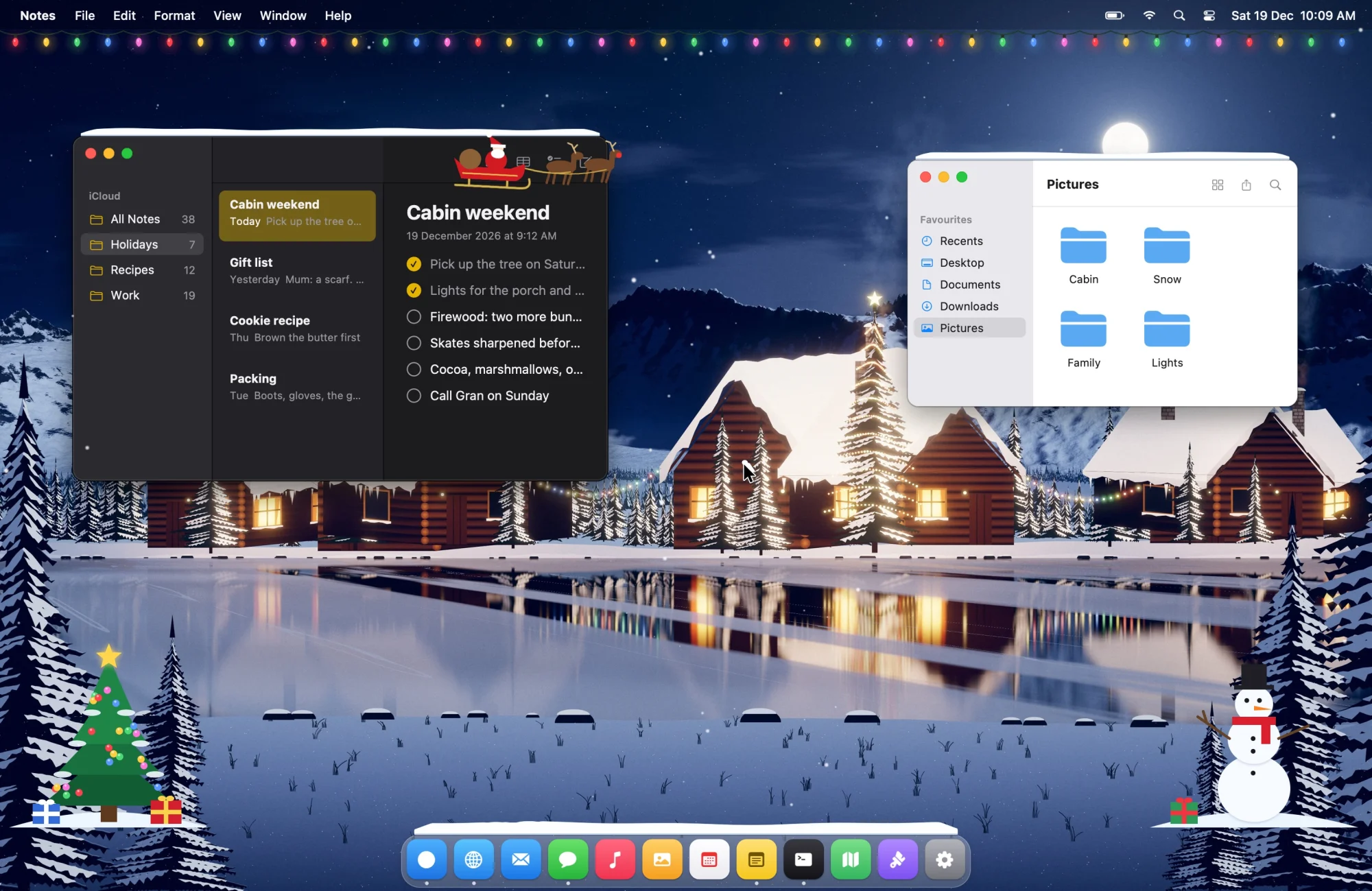
Snow that settles on your windows.
A moving wallpaper with a clock and widgets. This December it snows on your windows and your Dock, lights twinkle under your menu bar and a sleigh flies over. For Diwali, diyas and six kinds of crackers.
Pick how you pay for me.
Save yourself one twenty-minute wait and I've paid for myself.
Eddie
$15 once
The whole notch, yours for good.
- Alerts the moment an agent needs you
- Allow, deny and answer Claude from the notch
- Limit alerts, what changed, jump to the terminal
- What each session cost, leftover dev servers
- Clipboard, notes, music, focus timer, sales
- Mac and Windows, one key
Full Eddie
Eddie monthly
$4 a month
Everything in one-time, plus:
- The phone app: answer Claude from your phone
- Friends, chat and walkie-talkie in the notch
- My Christmas edition, in sync with your wallpaper
- Live Wallpaper for Mac and Linux, included
- Cancel any time
Live Wallpaper
$7 once
Just the wallpaper, for good.
- Snow on your windows and Dock
- Christmas lights, a sleigh and carols
- Diwali diyas and six kinds of crackers
- Six moving scenes, your own videos
- Clock and 14 widgets, Mac and Linux
14-day refund, no questions asked. Your key arrives by email. Bought Eddie before? Your key keeps everything in one-time, plus Live Wallpaper.
Questions
What is Eddie?
A small app that lives in your notch. It taps you the moment Claude Code or Codex needs you, and keeps your clipboard, music, focus timer and today's sales one hover away. On Windows it brings its own island.
Which agents does it support?
Eddie works with each agent through that agent's own hooks, so how much it can show depends on what the agent reports:
This table is for Eddie on a Mac. On Windows, Eddie connects Claude Code, Codex, Cursor and Gemini CLI through their hooks; see How do hooks work on Windows? below.
* Codex asks you to trust Eddie's hook once: run /hooks in Codex after connecting.
† The Claude desktop app doesn't run hooks yet (anthropics/claude-code#96496), so Eddie follows its Code tab through the session transcripts it saves on your Mac, with nothing to connect. It shows up as Claude · Desktop: working, done, and questions it asks you. Permission prompts never reach the transcript, so it can't tell Eddie when it's waiting for approval.
Does it work on Macs without a notch, and on Windows?
Yes. On an iMac, a Mac mini, a Mac Studio or an external display, Eddie draws a slim notch of its own in the middle of the menu bar. You can also choose which display it lives on. On Windows, it sits at the top center, a top corner, a side or the bottom of your desktop, your choice in Settings → Island.
Is my data private?
Eddie works on your computer, not on our servers. There's no account, no analytics and no tracking. Your notes, clipboard and agent events stay on your machine. Only a few things go out: license checks to Dodo Payments and our website, update checks to our website, and the mail or sales accounts you connect yourself, which Eddie talks to directly.
Do I need an account?
No. You get a license key by email and type it into Eddie. Only friends and the phone app, both part of Eddie monthly, ask you to sign in, so messages can reach you.
What's the difference between one-time and monthly?
$15 once gets the whole notch for good: agent alerts, answering Claude from the notch, clipboard, notes, music, focus and sales. $4 a month gets full Eddie: everything in one-time, plus the phone app, friends and walkie-talkie, my Christmas edition and Live Wallpaper for Mac and Linux. Cancel any time.
I bought Eddie before. What do I get?
Everything in the one-time plan, for good, plus Live Wallpaper. Your key keeps working. Monthly is optional.
Can I get my money back?
Yes. You have 14 days, no questions asked.
More questions
How does Eddie know what my agents are doing?
With one click per agent, Eddie adds hooks to that agent's config (~/.claude/settings.json, ~/.codex/hooks.json, ~/.cursor/hooks.json or ~/.gemini/settings.json on a Mac, the same files under %USERPROFILE% on Windows) and saves a backup first. The agent then runs a tiny helper on each event, like a permission request or a finished task, and Eddie reads it instantly. Claude Code's cost comes from its own local logs. Hooks load when a session starts, so restart sessions that were already open. You can disconnect anytime in Settings. Prefer to do it by hand? Settings has a setup guide with a ready-made prompt you can paste into the agent itself, and it adds Eddie's hooks for you. The Claude desktop app needs no hooks: Eddie reads the transcripts its Code tab saves.
How do hooks work on Windows?
Eddie for Windows works with Claude Code, Codex, Cursor and Gemini CLI. In Settings, connect any of them, and Eddie adds its hooks to %USERPROFILE%\.claude\settings.json, %USERPROFILE%\.codex\hooks.json, %USERPROFILE%\.cursor\hooks.json or %USERPROFILE%\.gemini\settings.json on that PC. Hooks load when a session starts, so restart sessions that were already open. Disconnecting an agent in Settings removes Eddie's hooks.
The Microsoft Store says Free. Do I need to buy Eddie?
Installing from the Microsoft Store is free. Eddie is activated with a license key: buy one here, and the key arrives by email from Dodo Payments. Type it into Eddie and you're set. It's the same key and the same one-time price as on the Mac.
Where does Eddie keep my data on Windows?
On your PC, in %LOCALAPPDATA%\Eddie: settings, notes, clipboard history and agent events. Your license key is kept in Windows Credential Manager. There's no Eddie account and no analytics. The details are on the privacy page.
Is the cost what I'm actually billed?
It's the API-equivalent cost at Anthropic's list prices. If you're on a Pro or Max plan you aren't billed per token, but it's a useful way to see which sessions are heavy.
Why only five clips?
Because five is how many you actually reach back for. A long history turns into a search box. Five fits in one glance, and each one gets a real preview.
Does it save my passwords?
No. Password managers mark what they copy as concealed, and Eddie skips anything marked that way. On a Mac it also ignores copies made in Keychain Access and Apple Passwords; on Windows it skips copies from password managers like 1Password, Bitwarden and KeePass. Your clipboard history never leaves your computer.
Will it get in the way?
No. On a Mac, when Eddie is closed it's exactly the shape of your notch, and clicks pass straight through to the menu bar around it. It only opens when your pointer rests on the notch. On Windows, a borderless fullscreen game or video hides it, while maximized windows don't.
Which Mac and Windows versions does it support?
On a Mac, macOS 14 Sonoma and later. On macOS 26 Tahoe you also get the Liquid Glass style. On Windows, Windows 10 or Windows 11 on a 64-bit desktop or laptop. It isn't for Xbox or phones, and it's an app, not a website.
How many computers can I use it on?
Your license covers the Macs and Windows PCs you personally use, with the same key. If you're buying for a team, get in touch.